Rev Reports by Tech-M8
Itemized reporting for invoicing, balances, costs & profits in ServiceM8
Itemized reporting for invoicing, balances, costs & profits in ServiceM8
Follow these steps to run itemized reports with Rev Reports:
Access Rev Reports from your ServiceM8 Add-ons. You'll see the reporting dashboard with options to run different report types across your invoicing data.
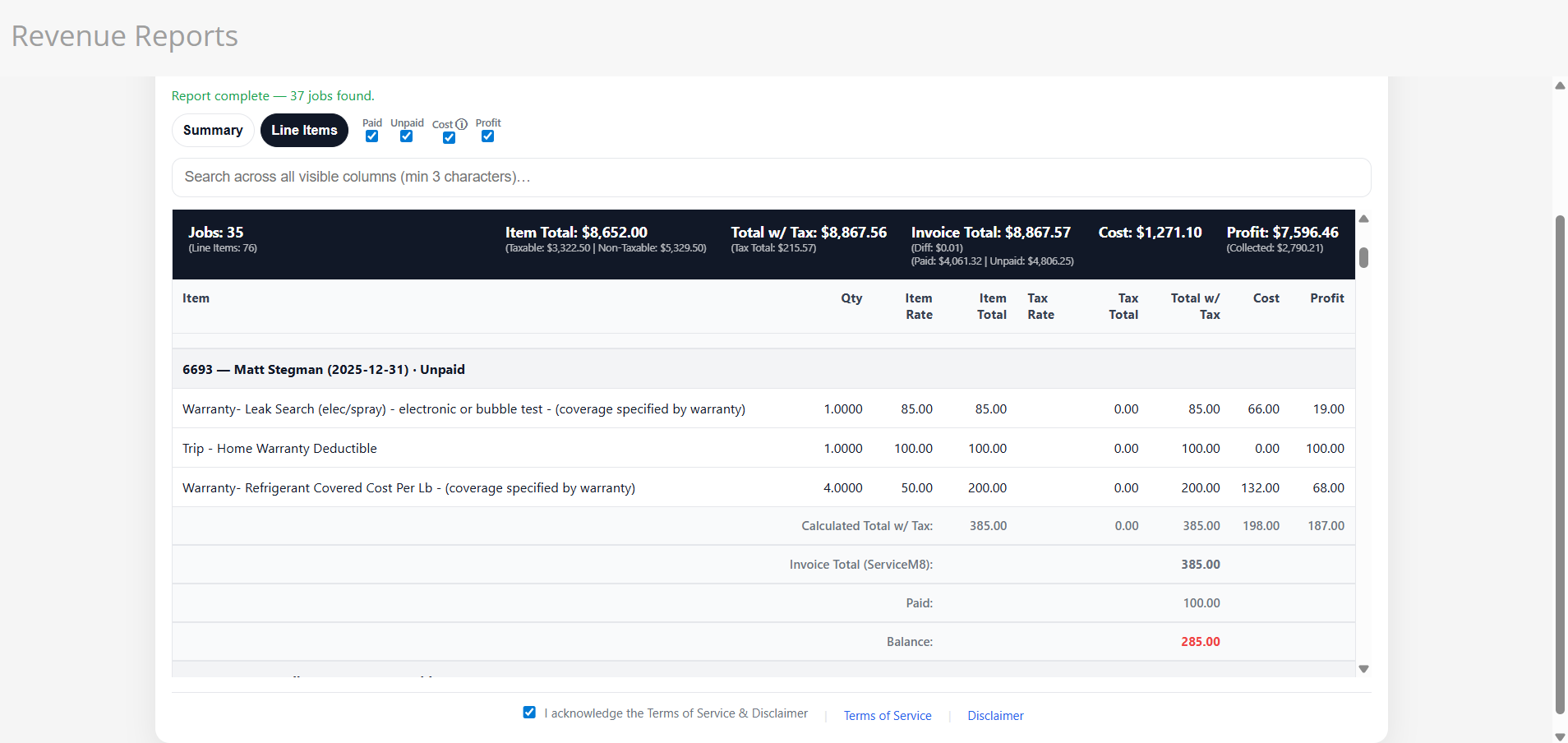
Choose from the available report types — invoicing summaries, outstanding balances, cost breakdowns, or profit analysis. Each report gives you a different lens into your business performance.
Define the date range for your report and apply any additional filters to narrow down results to the data that matters most to your business.
Generate the report and review the itemized results. Data is pulled directly from your ServiceM8 jobs and invoicing records for accurate, up-to-date reporting.
Export your completed reports for use in accounting, team meetings, or record keeping. Keep your finger on the pulse of your service business finances.
Rev Reports is not a replacement for certified financial reporting. Reports are for informational and reference purposes only and must not be relied upon for tax filing, regulatory compliance, lending decisions, or official financial reporting.
This add-on provides internal management reporting tools based solely on data entered into ServiceM8. It does not generate certified financial statements and is not designed to comply with GAAP, tax regulations, or other accounting standards.
Reports generated by Rev Reports:
Always consult a qualified accountant, CPA, or tax professional for official financial statements and tax preparation.
All calculations — including revenue totals, tax amounts, costs, balances due, payment status, and profit calculations — are derived solely from your ServiceM8 data. Items without purchase costs configured in ServiceM8 will show as $0.00 cost and will inflate profit figures accordingly.
You acknowledge and agree that:
The software is provided "AS IS" and "AS AVAILABLE" without warranties of any kind, express or implied, including merchantability, fitness for a particular purpose, accuracy, or non-infringement. Tech-M8 LLC does not warrant that the software will be error-free, uninterrupted, or free of calculation defects.
To the maximum extent permitted by law, Tech-M8 LLC shall not be liable for any direct, indirect, incidental, consequential, special, or punitive damages — including tax liabilities, penalties or interest, lost profits, business interruption, loss of data, or financial losses resulting from calculation errors or data inaccuracies — arising from the use of this software.
For questions regarding this disclaimer or the Terms of Service, contact support@tech-m8.com.
The Rev Reports Add-On integrates with ServiceM8 to provide itemized reporting functionality. This Privacy Policy describes how we handle data in connection with the add-on.
The add-on accesses your ServiceM8 account's job, invoicing, and financial data through ServiceM8's API to generate reports on invoicing, balances, costs, and profits.
We store the following information to provide the service:
Financial data is read directly from your ServiceM8 account to generate reports. We do not retain copies of your financial information after the report session ends.
We do not share, sell, or disclose your data to third parties. Data is only transmitted between your ServiceM8 account and our secure processing servers.
Authorization tokens are stored securely and encrypted. Report data is processed in real-time and not retained after the session.
You retain full control of your ServiceM8 account and data. You may revoke access to Rev Reports at any time through the ServiceM8 marketplace, which will remove all stored authorization tokens.
If the functionality of this add-on changes in a way that affects data use, this Privacy Policy will be updated accordingly.