Select Sign by Tech-M8
Send documents for customer selection & signature in ServiceM8
Send documents for customer selection & signature in ServiceM8
Follow these simple steps to send documents for customer selection and signature:
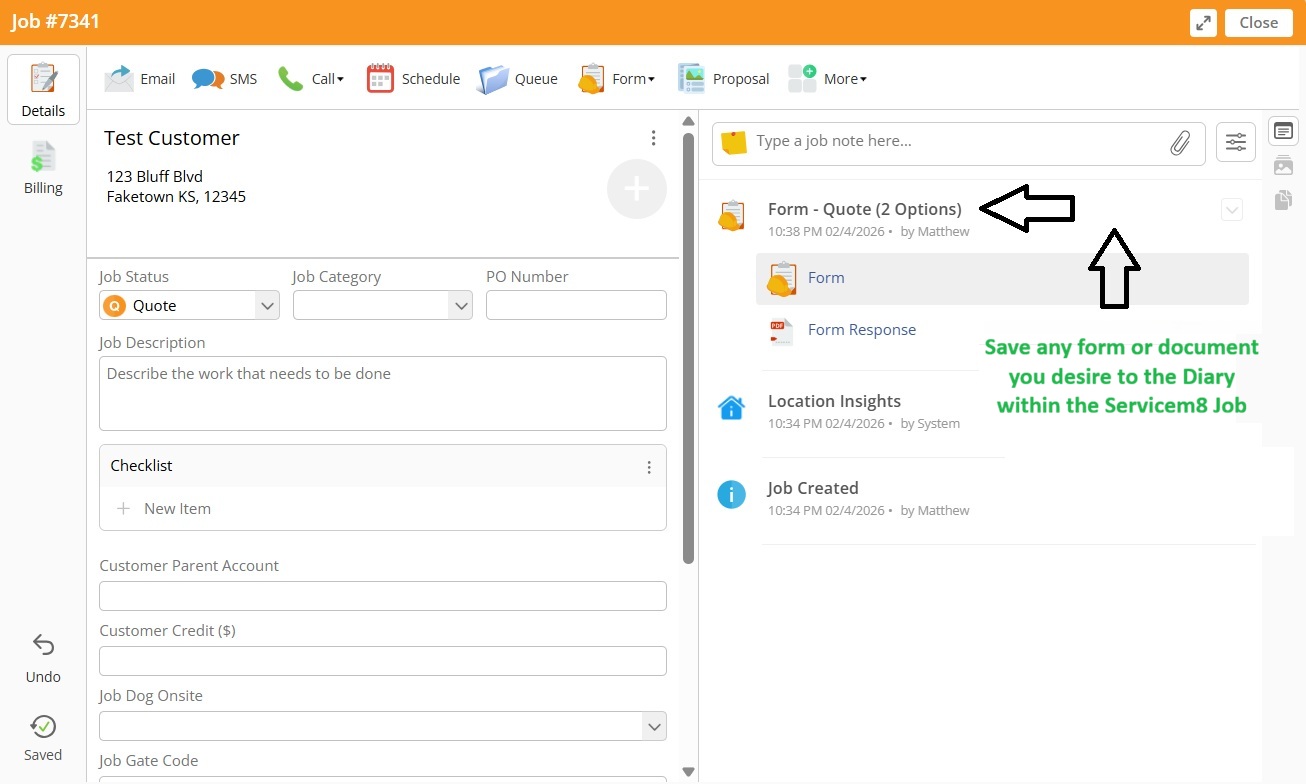
Select Sign discovers documents from the Job Diary, so make sure you have them added
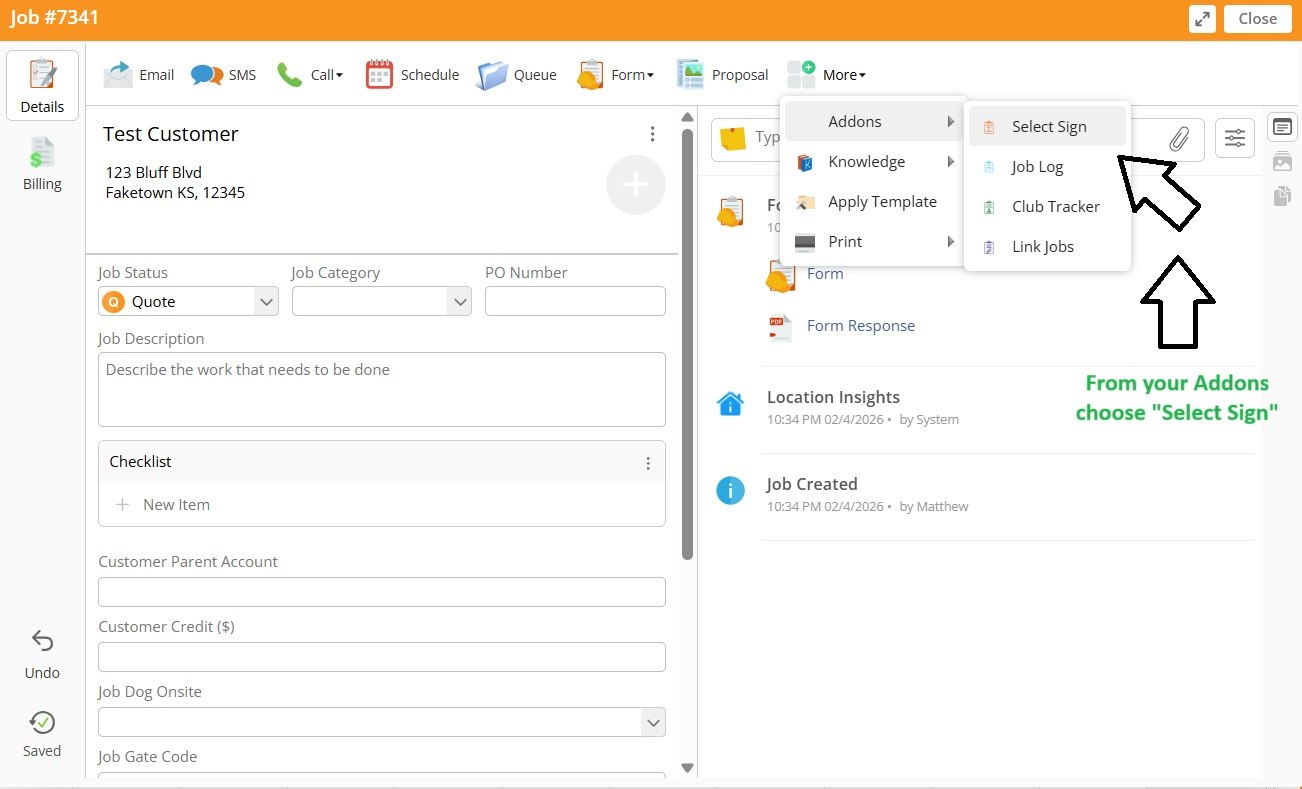
Open Select Sign from your Job Add-ons
All documents from the job diary will be listed. Find the document you wish to use.
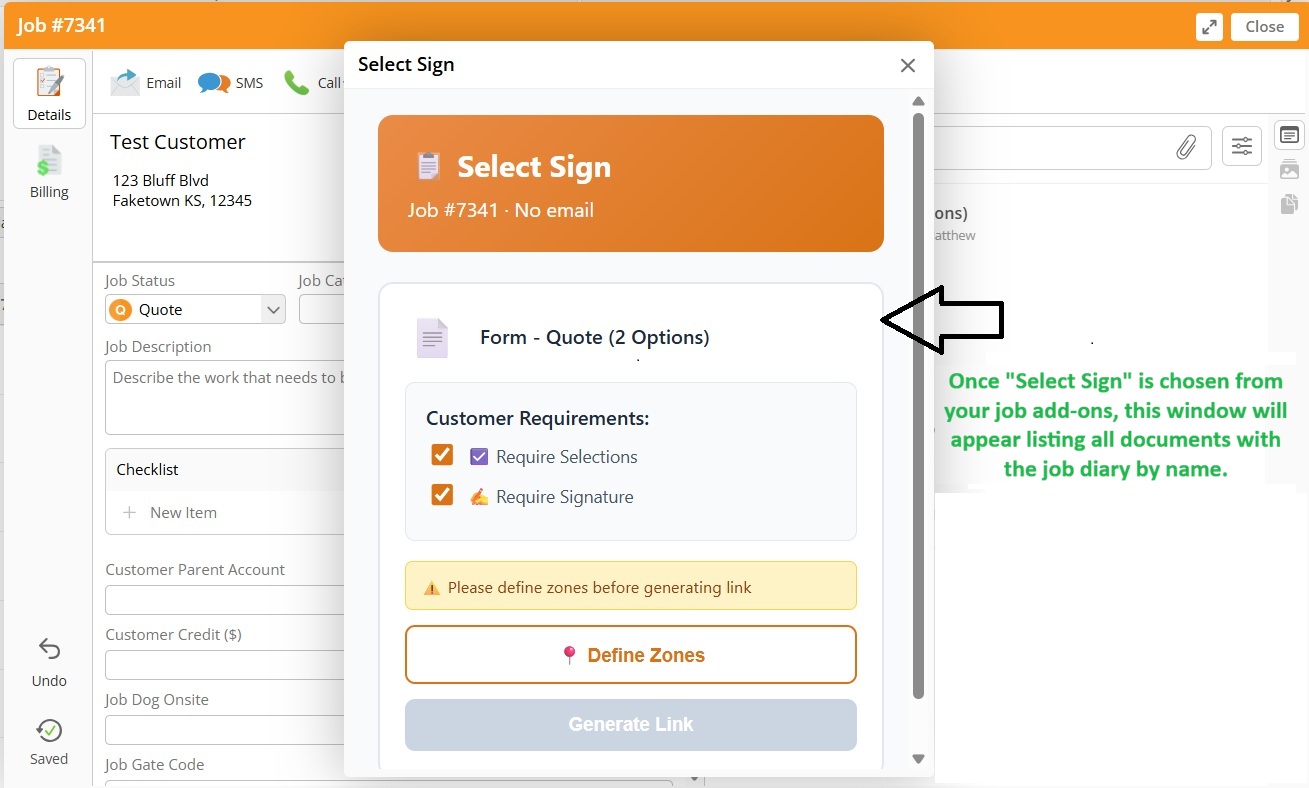
Click the check boxes to set up the document to have "Customer Selection Boxes" and/or "Signature".
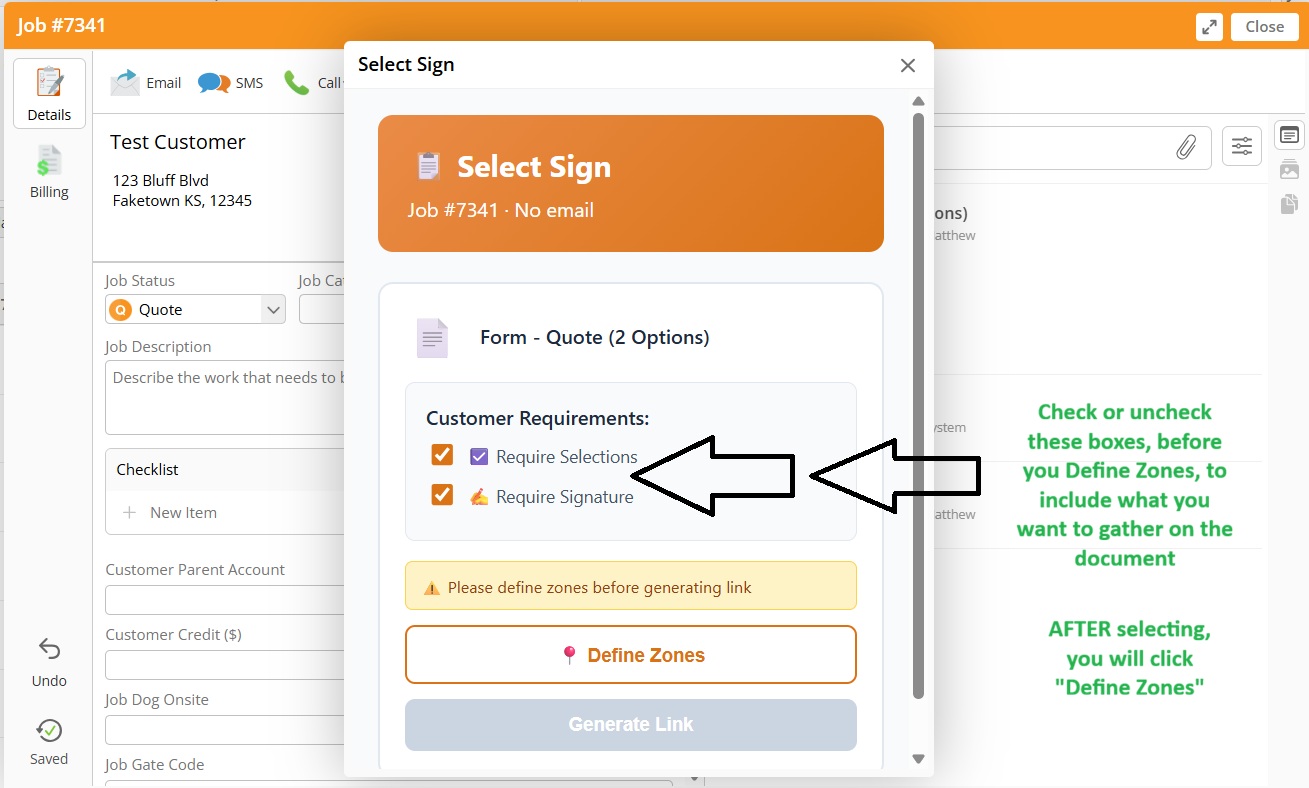
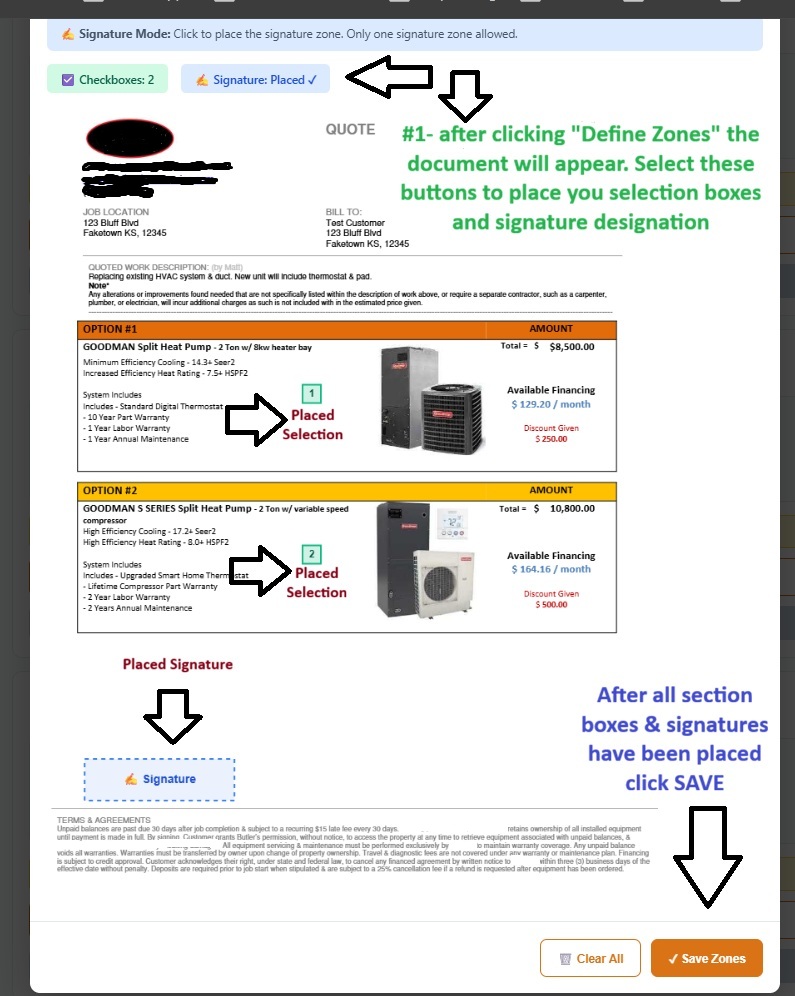
Click "Define Zones" to place the "Selection Boxes" & "Signature" location. Use the buttons at top to switch
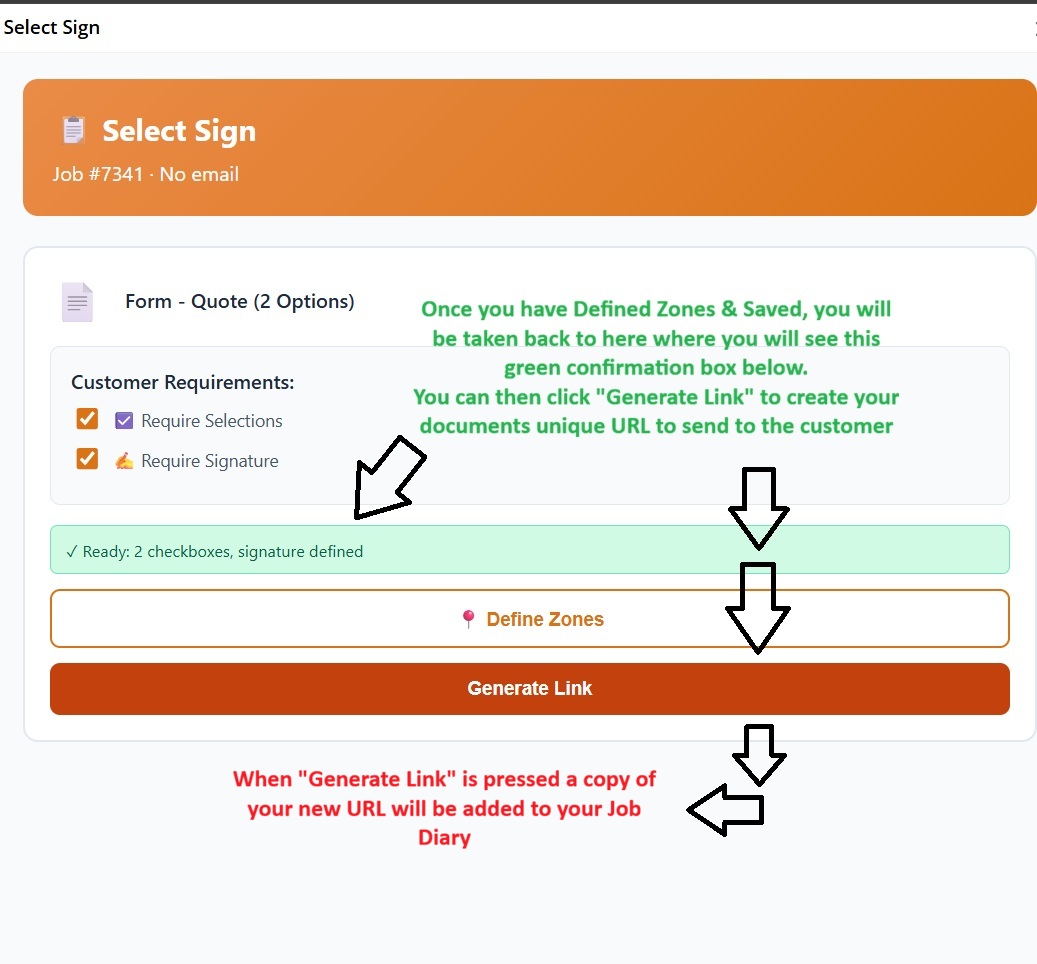
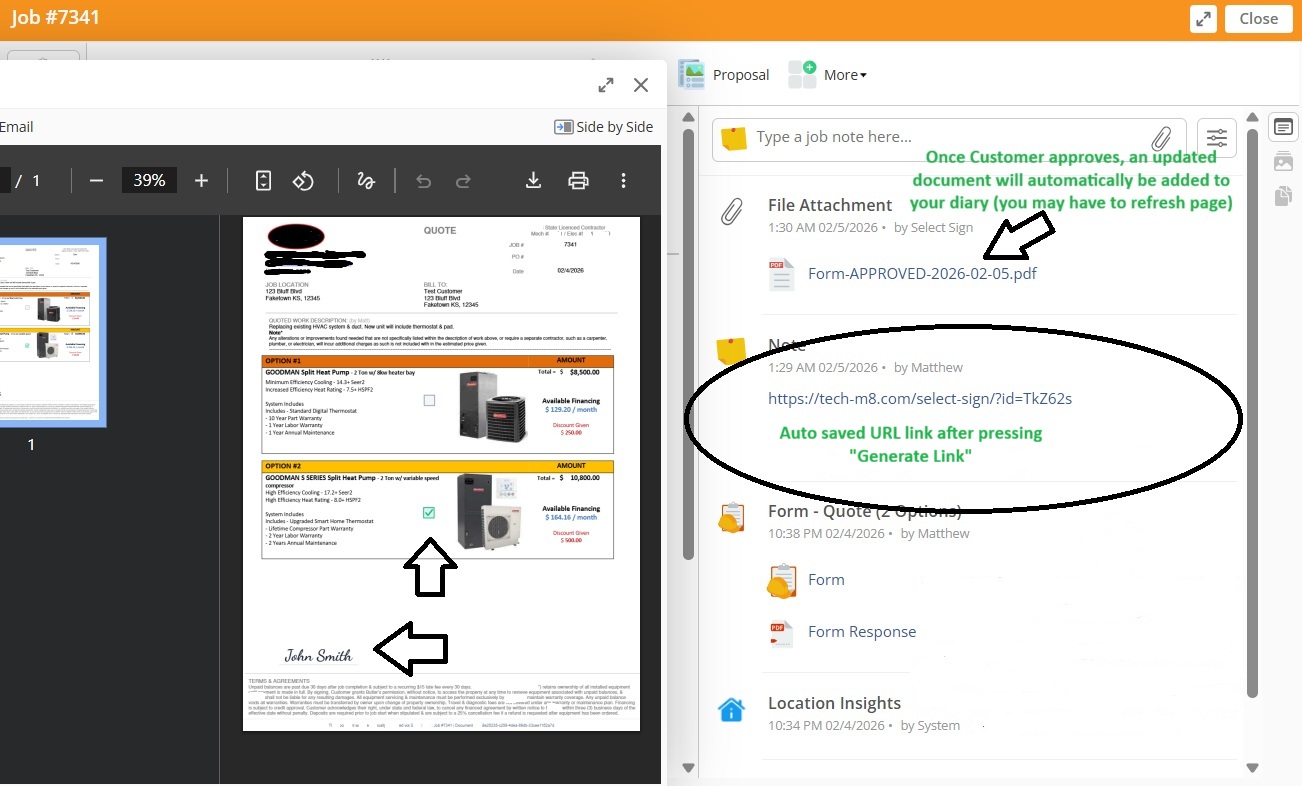
After zones are defined & saved, you will click "Generate Link" to create the custom URL (auto saved to job diary).
For convenience, use the "Copy Hyperlink" button to auto copy the link to you clipboard (optional). The link can also be found in your diary.
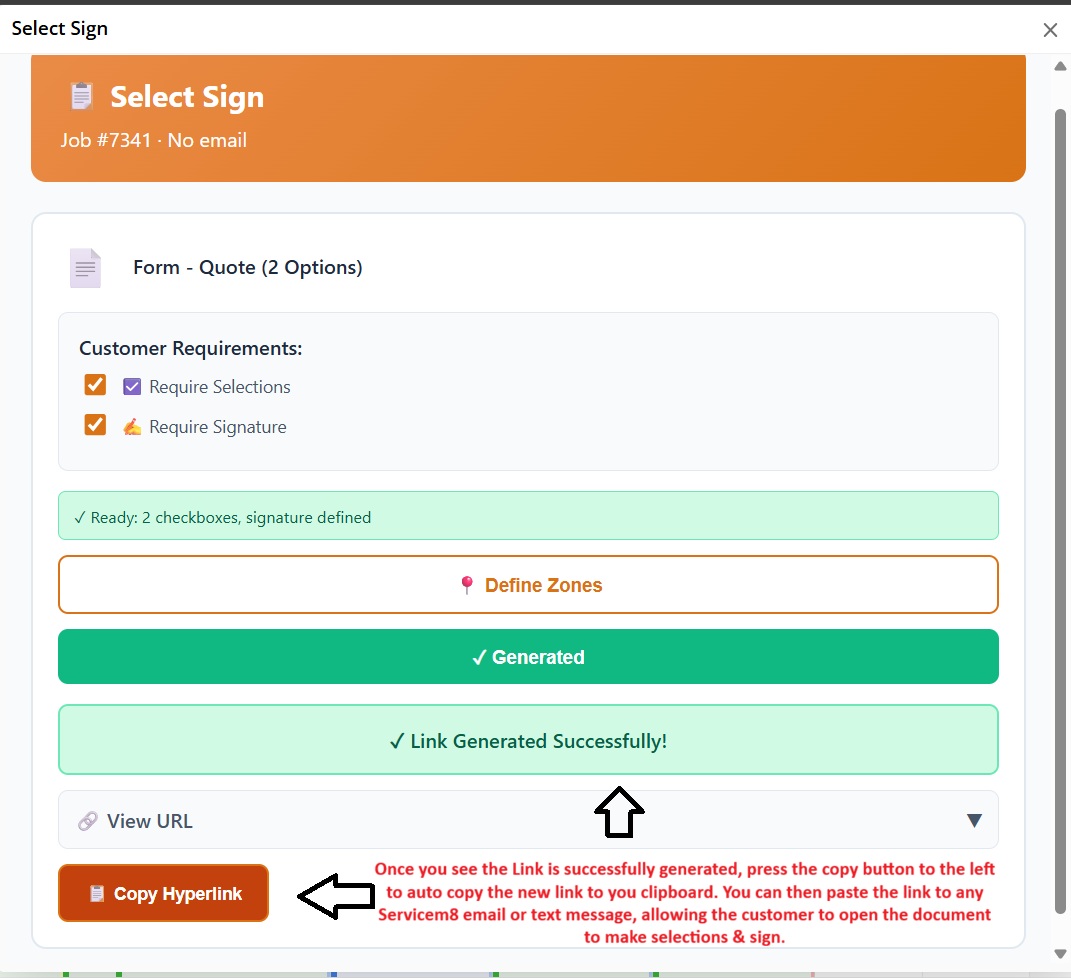
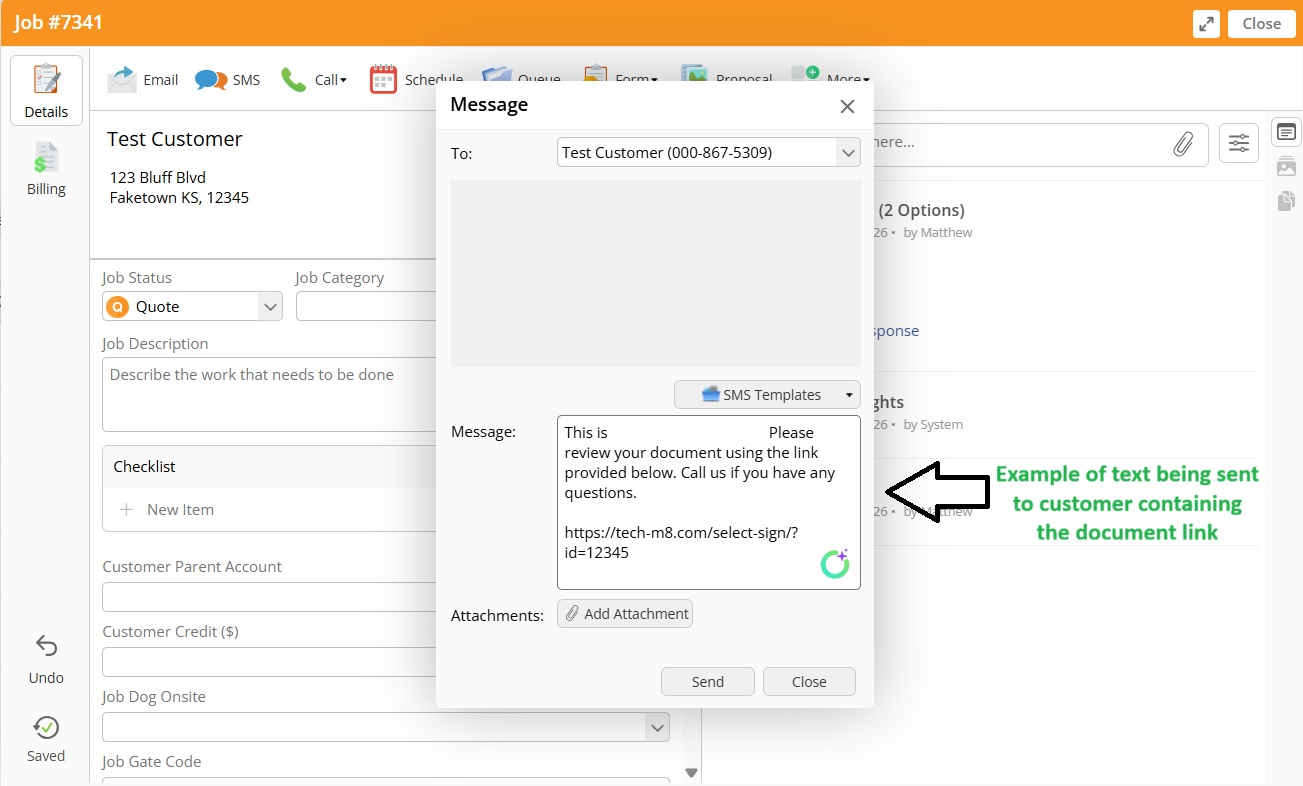
Paste the Link to any customized email or text message you create, then send to customer for their review & approval
Once approved, the signed PDF is automatically attached to the job diary. You'll receive an email notification with the approved document.
The Select Sign Add-On integrates with ServiceM8 to provide document signing functionality. This Privacy Policy describes how we handle data in connection with the add-on.
The add-on accesses job information, attachments, and customer details through ServiceM8's API to generate secure document signing links and attach approved documents back to jobs.
We store the following information to provide the service:
Customer signatures and selections are processed and immediately attached to your ServiceM8 job. We do not retain copies of signed documents.
We do not share, sell, or disclose your data to third parties. Data is only transmitted between your ServiceM8 account and our secure processing servers.
All document links are secured with encrypted tokens. Links automatically expire after 60 days. Authorization tokens are stored securely and refreshed automatically.
You retain full control of your ServiceM8 account and data. You may revoke access to Select Sign at any time through the ServiceM8 marketplace, which will remove all stored authorization tokens.
If the functionality of this add-on changes in a way that affects data use, this Privacy Policy will be updated accordingly.